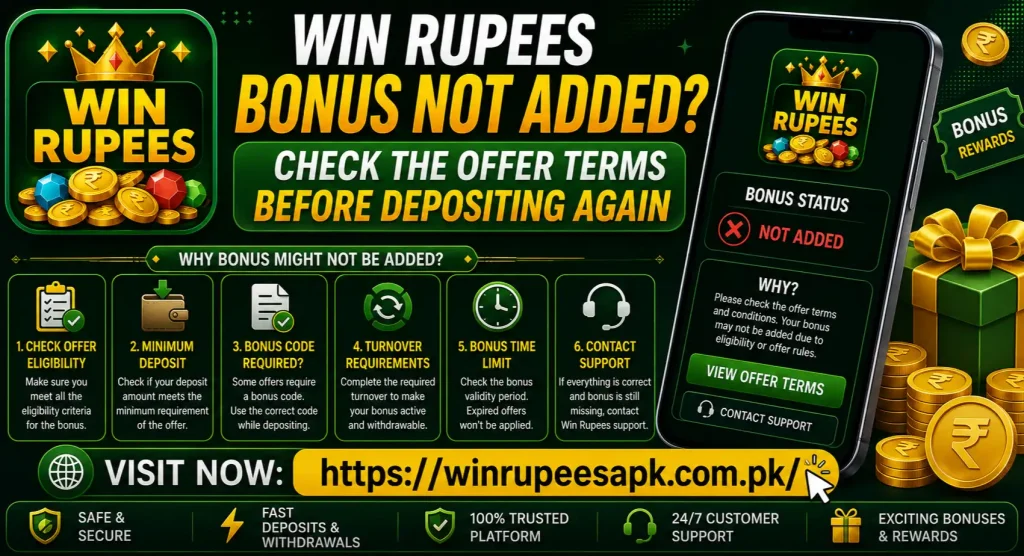
Win Rupees Bonus Not Added? Check the Offer Terms Before Depositing Again
A missing Win Rupees bonus does not automatically mean the deposit failed. The cash deposit and promotional reward may be recorded separately, and the offer may require selection, a qualifying amount, an eligible payment method or a manual claim.
Do not make another deposit just to trigger the bonus. First confirm that the original cash amount appears in your account, identify the exact promotion you selected, and read the live offer terms. A second payment could be treated as a different deposit and may not fix the first bonus claim.
Quick answer: Check the promotion name, eligibility dates, deposit amount, payment method, opt-in or promo-code requirement, bonus wallet and claim button. Save screenshots of the offer and deposit receipt before contacting support.
First Check Whether the Deposit or Only the Bonus Is Missing
Open the account balance and deposit history. Compare the amount you paid with the cash balance credited to Win Rupees.
| What you see | Likely issue | Best next step |
| Cash deposit added, bonus missing | Promotion or eligibility issue | Review the offer terms and reward area |
| Cash deposit also missing | Deposit-status issue | Preserve the receipt and trace the payment |
| Bonus appears in a separate wallet | Display or wallet-location confusion | Check bonus balance and usage rules |
| Bonus shows pending | Review or processing condition | Read the current status and wait as instructed |
| Bonus was added and then removed | Expiry, withdrawal or rule-related issue | Check bonus history and terms |
| No promotion was selected | Opt-in may have been required | Ask support whether it can be reviewed |
This distinction matters. Bonus troubleshooting cannot fix an uncredited cash deposit, and sending another payment may make both records harder to follow.
Identify the Exact Win Rupees Offer
“Bonus” can refer to several different promotions. Find the name shown in the app, message or banner rather than assuming every reward follows the same rules.
Possible categories include:
- First-deposit or welcome offer
- Second- or later-deposit promotion
- Daily recharge reward
- Referral or invitation reward
- App-download or registration reward
- Cashback, rebate or loss-related offer
- VIP or level-based benefit
- Mission, event or red-packet reward
- Promo-code campaign
The Win Rupees website mentions different reward and promotion areas, but current availability and detailed conditions should be checked inside the live account. Offer names, values and rules may change.
Take a screenshot of the exact promotion page. A homepage banner without its terms is not enough to prove eligibility.
Read These Offer Terms Before Depositing Again
Eligibility
Check who can receive the offer. It may be limited to new users, selected accounts, invited users, a specific VIP level or players who received the promotion directly.
Do not assume that seeing a banner means every account qualifies. The terms may say the offer is targeted or available only once per eligible user.
Promotion Start and End Time
Compare the deposit timestamp with the offer period. A deposit made before activation or after expiry may not qualify, even if the banner was still visible in a cached app screen.
Check which time zone the platform uses if the offer ends near midnight. Save the page showing the date and time.
Qualifying Deposit Amount
Some offers require a minimum amount, a specific amount or a deposit within a displayed range. Use the amount credited by Win Rupees, not merely the amount you intended to send.
Do not add more money to “complete” the threshold unless the terms explicitly say separate deposits can be combined. Many promotions assess one qualifying transaction rather than the day’s total.
Eligible Payment Method
An offer may apply only to selected channels. A deposit through JazzCash, Easypaisa, bank transfer or another available method may be treated differently depending on the live terms.
Check the payment option selected on the deposit page. Never assume that every listed method participates in every promotion.
Opt-In or Promotion Selection
Some deposit screens include a promotion selector, checkbox or Participate now button. If no offer was selected before payment, the system may record an ordinary deposit.
Review the deposit receipt or history to see whether a promotion name is attached. If it is absent, contact support before making another payment.
Promo or Referral Code
If a code was required, confirm that it was entered correctly and accepted before the deposit. Look for spelling errors, extra spaces, expired codes or a code intended for another campaign.
A referral code and a deposit promo code may not be the same thing. Do not copy codes from random comments that promise an unusually large reward.
One-Time or Account Restrictions
An offer may be available only once per account or subject to other restrictions stated in its terms. Some campaigns may also consider the phone number, payment method, device or identity details.
Only apply a restriction if the current terms actually mention it. Do not create another account to bypass an eligibility rule; duplicate accounts can create further bonus and withdrawal problems.
Claim Method
Some rewards are added automatically. Others may appear in Rewards, Promotions, Bonus, Activity or a manual rebate area and require a claim button.
Check for labels such as:
- Claim
- Collect
- Receive
- Redeem
- Participate
- Manual rebate
- Available rewards
Do not repeatedly tap the button. One successful claim should create a status, balance entry or message that can be saved.
Processing or Review Status
The offer may show Pending, Under review, Calculating or another non-final status. Follow the current message rather than relying on a fixed waiting time from an old article.
If there is no stated processing period, note the deposit and claim times and ask support for the expected review stage.
Turnover or Wagering Conditions
A bonus can be credited but not immediately withdrawable. Terms may require eligible play or turnover before a related balance becomes available for withdrawal.
This is different from a bonus not being added. Check whether the reward appears in the bonus wallet and whether the problem is actually a withdrawal restriction.
Never increase betting simply to clear a turnover target. Review the requirement first and decide whether the risk fits your spending limit.
Where the Bonus May Appear
The reward may not be included in the main cash balance. Look in these areas if they exist in the current app:
- Bonus balance
- Reward Center
- Promotions or Activities
- Claimable rewards
- Manual rebate
- VIP benefits
- Referral commission
- Internal messages
- Transaction or bonus history
Compare the main wallet, bonus wallet and total balance. A bonus-wallet entry may carry different use and withdrawal rules from deposited cash.
Take screenshots before clearing cache or reinstalling. A local notification or claim message may be useful when support reviews the case.
Common Reasons a Win Rupees Bonus Is Not Added
The Offer Was Not Selected
The deposit completed as a normal cash payment because the user did not opt in or choose the promotion on the deposit screen.
The Deposit Did Not Meet the Terms
The amount, payment channel, account type or timing may not match the live eligibility conditions. Check each field against the same offer page.
The Wrong Promotion Was Expected
A first-deposit offer, referral reward and daily recharge promotion can have different triggers. Receiving one does not automatically make an account eligible for the others.
The Reward Requires Manual Collection
The bonus may be waiting under Rewards or Promotions. Open the relevant section and check for a claim button or pending status.
The Promo Code Was Invalid
The code may have expired, been entered incorrectly or belonged to a different campaign. Look for an acceptance message before assuming the code was applied.
The Account Already Used the Offer
A welcome or one-time promotion may have been claimed previously. Review bonus history and any old account messages.
The Bonus Is Still Being Reviewed
Some rewards may be calculated after the deposit or after another stated condition is completed. Use the status shown in the account and avoid guessing an exact time.
The Bonus Was Added to a Different Wallet
The main cash balance may remain unchanged while the reward appears in a bonus or promotional wallet.
The App Is Showing Old Information
A weak connection or stale session can prevent the balance from refreshing. Close and reopen Win Rupees, switch to a stable network and check the browser version once.
A Rule Was Triggered After the Bonus Appeared
The offer may have expiry, withdrawal, game or account conditions. If the bonus was first credited and then removed, check the bonus history and support messages for the exact reason.
A Practical Example
Suppose a player sees a deposit promotion, adds money, and notices that only the cash amount appears. The safest response is not to deposit again.
The player should open the original banner, check whether the promotion had to be selected, compare the required amount with the credited amount, and look in the Reward Center. If the offer page shows that the deposit qualifies but no reward or claim button appears, the player now has clear evidence for support.
Without those checks, a second deposit could create a new transaction that has its own eligibility rules. It would not necessarily repair the first claim.
What to Do in the App
Follow this order:
- Open Win Rupees on a stable internet connection.
- Check that the cash deposit is credited.
- Open deposit history and note the transaction ID.
- Open the promotion originally selected.
- Read its eligibility, dates and deposit requirements.
- Check Rewards, Bonus, Activity and message sections.
- Look for a claim or collect button.
- Review bonus history for pending, credited, expired or removed entries.
- Close and reopen the app if the balance appears stale.
- Contact support if the evidence shows that the terms were met.
Change one thing at a time. Clearing all data or reinstalling before saving the promotion page can remove useful local evidence.
Should You Clear Cache or Reinstall?
If the bonus page is blank, frozen or failing to refresh, clear only the Win Rupees cache first:
Settings > Apps > Win Rupees > Storage & cache > Clear cache
Then reopen the app and check the bonus wallet. Cache clearing may fix a display issue, but it cannot make an ineligible deposit qualify.
Reinstalling should be a later step for a genuine app problem. Save your login details, deposit receipt, promotion screenshots and support messages before removing the app.
Evidence to Save for Support
Prepare a clear record instead of sending only “bonus not received.” Include:
- Win Rupees user ID, partly masked where possible
- Promotion name
- Screenshot of the full offer terms
- Offer start and end dates
- Deposit amount and timestamp
- Deposit transaction ID
- Payment method used
- Screenshot showing the cash deposit credited
- Promo or referral code, if applicable
- Screenshot of the bonus or Reward Center
- Any error, pending status or claim message
- Checks already completed
If the promotion terms change after the deposit, the screenshot taken at the time can help show what the account displayed.
Do not expose unrelated wallet messages, a full CNIC image, card details, OTP, account password or transaction PIN.
Support Message Template
Hello, my Win Rupees deposit was credited, but the selected bonus has not been added. The promotion name is [offer name], the deposit amount is [amount], and the transaction ID is [ID]. I deposited on [date/time] through [payment method]. I checked the offer terms, bonus wallet, Reward Center and claim section. Please confirm whether my deposit qualified and explain any unmet condition. I have attached the relevant screenshots with private details covered.
Ask support to identify the exact failed condition. A useful reply should say whether the issue is eligibility, promotion selection, amount, payment method, account history or processing status.
Use the live-chat or help option displayed inside Win Rupees or the contact route on the website you normally use. Avoid random WhatsApp or Telegram accounts found in comments.
What Support Should Clarify
If the first response is vague, ask these questions:
- Was the promotion attached to my deposit?
- Did the deposit amount and payment method qualify?
- Was an opt-in or promo code required?
- Is the reward pending, rejected, expired or already claimed?
- Does it appear in a separate bonus wallet?
- Is manual collection required?
- Which exact term was not met?
- Is there a support ticket or bonus reference number?
Keep replies in the same conversation. Repeating the case to several agents without a ticket number can slow down the review.
Do Not Pay a “Bonus Release Fee”
Be cautious if someone offers to add the reward in exchange for another deposit or payment to a personal wallet. Do not share:
- Win Rupees password
- OTP or verification code
- JazzCash or Easypaisa PIN
- Bank password
- Card CVV
- Recovery code
- Screen-sharing access
A bonus dispute can be reviewed using the offer terms, account ID and transaction record. Your secret codes are not needed.
Also avoid modified APKs that promise to unlock bonuses, remove turnover or produce unlimited balance. Such files may expose login and payment information.
Bonus Added but Not Withdrawable?
This is a different problem. Read the offer’s withdrawal and turnover conditions. Check whether the app separates deposited cash, bonus funds and winnings linked to a promotion.
Possible term categories include:
- Required eligible turnover
- Permitted games or activities
- Maximum contribution from certain games
- Bonus expiry date
- Withdrawal restrictions while the offer is active
- Maximum amount linked to the promotion
Do not assume these conditions apply unless they appear in the live terms. If a rule is unclear, ask support before playing or requesting withdrawal.
Why Another Deposit Is a Bad Test
A second deposit may:
- Be treated as a separate promotion stage
- Miss the same opt-in requirement
- Fall outside the offer period
- Increase the amount at financial risk
- Create two support cases instead of one
- Make it harder to match the original transaction
- Encourage chasing a reward that is smaller than the added risk
The safest test is documentary: match the original deposit with the original offer terms and ask for a written eligibility decision.
Simple Decision Table
| Situation | Deposit again? | Better action |
| Cash deposit missing | No | Trace the original payment |
| Cash added, bonus missing | No | Check eligibility and reward sections |
| Offer was not selected | No | Ask whether support can review it |
| Claim button is available | No | Read terms and claim once |
| Bonus shows pending | No | Follow the displayed status |
| Promo code rejected | No | Verify the code and campaign |
| Terms clearly were not met | No | Do not chase the offer |
| Terms were met but reward absent | No | Submit evidence to support |
Frequently Asked Questions
Final Note
When a Win Rupees bonus is not added, check the offer before risking more money. Confirm the original deposit, promotion selection, eligibility, claim method and bonus wallet. If the terms appear to be met, send a documented support request and ask which exact condition affected the reward.
Real-money gaming involves financial risk. Bonuses should not be treated as guaranteed income or a reason to deposit beyond your limit. Use only money you can afford to lose, never chase losses, and restrict access to adults aged 18 or above in locations where participation is permitted.