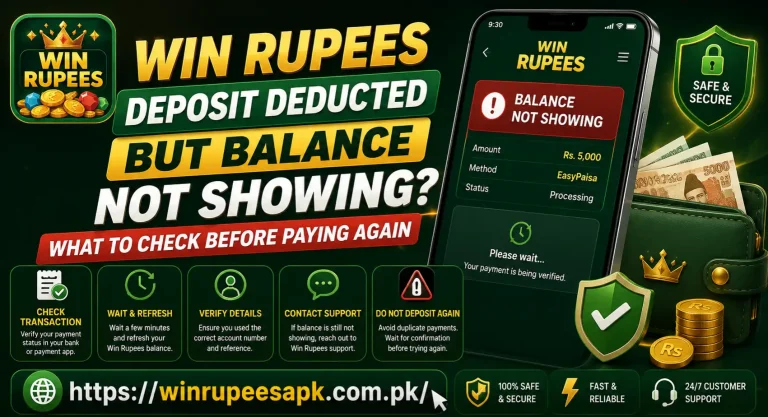
Win Rupees Withdrawal Completed but JazzCash Balance Missing? What to Check
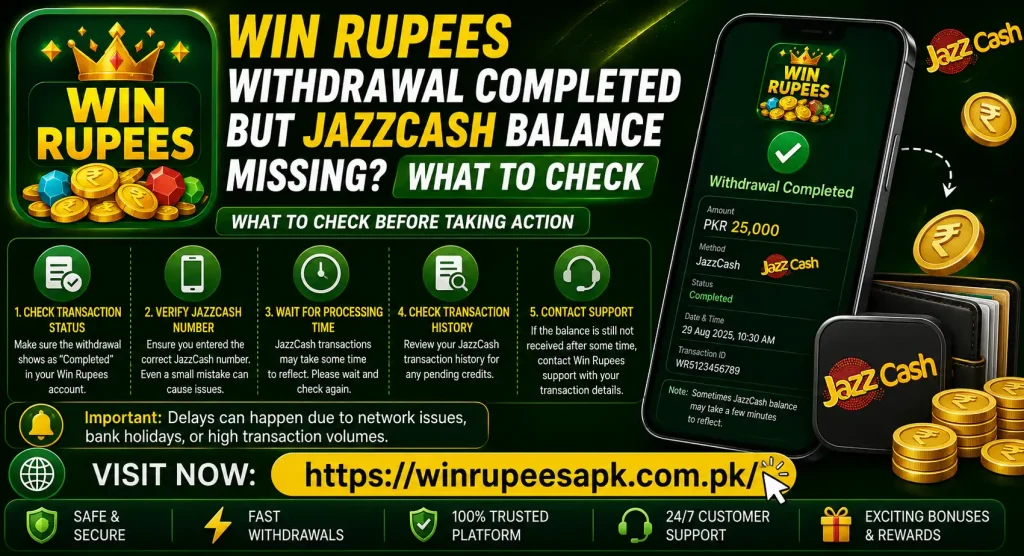
A Win Rupees withdrawal completed message can be confusing when the JazzCash balance has not increased. Do not submit another withdrawal straight away. First compare the withdrawal record with the correct JazzCash account, check the wallet’s transaction history, and save the reference details shown in Win Rupees.
“Completed” may mean the platform has finished its part of the request. It does not by itself prove that the amount is visible in the receiving wallet. A wrong number, delayed wallet posting, stale app balance, missing transfer reference or a temporary processing issue can all create a difference between the two screens.
Quick answer: Take a screenshot of the completed withdrawal, confirm the full or masked JazzCash number, refresh the wallet, review recent transactions and note both timestamps. If there is still no matching credit, ask Win Rupees for the payment reference before raising the issue through JazzCash’s official support channel.
Do Not Withdraw Again Yet
The first reaction is often to create a smaller withdrawal to test whether JazzCash is working. That can produce a second transaction and make the original case harder to follow.
Before doing anything else:
- Do not submit the same withdrawal again.
- Do not change the linked JazzCash number while the case is open.
- Do not delete app messages or transaction history.
- Do not clear app data before saving evidence.
- Do not share an OTP, MPIN, password or recovery code.
A missing wallet credit is a transaction-tracing problem. Reinstalling either app rarely provides the reference needed to trace it.
What “Completed” Can Mean
Status labels are not always used in exactly the same way by every platform. A useful way to understand them is to separate the withdrawal into stages.
| Stage | What may be happening | Evidence to look for |
| Withdrawal requested | Win Rupees has received the request | Request ID, amount and submission time |
| Under review or processing | The request has not yet reached a final state | Pending or processing label |
| Marked completed | Win Rupees says its withdrawal process ended | Completion time and payment reference |
| Sent to payment channel | Transfer was handed to the wallet or processor | JazzCash/processor transaction ID |
| Posted to JazzCash | Wallet ledger shows an incoming credit | JazzCash history entry and updated balance |
The key question is not only “Does Win Rupees say completed?” It is “Is there a traceable outgoing payment reference that matches an incoming JazzCash record?”
Do not treat a green tick or success animation as the only proof. Preserve the detailed withdrawal page, including the amount, number, date and reference fields.
Check the Correct JazzCash Account
Confirm the Linked Mobile Number
Open the Win Rupees withdrawal record and check the displayed JazzCash number. If the app masks some digits, compare every visible digit with your registered wallet number.
Common mistakes include:
- One digit entered incorrectly
- An old JazzCash number remaining linked
- A family member’s number being selected
- Confusing two SIMs on a dual-SIM phone
- Using a number that is active for calls but not registered as the intended JazzCash wallet
If the record shows the wrong number, stop making new requests. Take a screenshot and contact Win Rupees support. Do not ask the person at the other number to send you an OTP or wallet PIN.
Make Sure You Opened the Right Wallet
Some users have more than one mobile number or recently moved the SIM to a different phone. Check the mobile number displayed inside the JazzCash account, not just the SIM label in Android settings.
If you logged into another wallet by mistake, the balance may be correct for that account while the transfer was sent elsewhere. Log out only after saving any evidence you need.
Refresh the JazzCash Balance Safely
A wallet home screen can show an older balance if the app session has not refreshed. Use these simple checks:
- Confirm that the phone has a stable internet connection.
- Close JazzCash from recent apps.
- Reopen it through the normal app icon.
- Sign in using the usual secure process.
- Review the current balance and recent transaction list.
If the app is frozen, restart the phone and try again. Avoid downloading a JazzCash APK from an unknown website or giving another person remote access to “refresh” the account.
The visible balance alone is not enough. A transaction history entry is more useful because it can show whether the wallet recorded the incoming credit, reversed it or never received it.
Review JazzCash Transaction History
Open the wallet’s recent activity or transaction history and search around the withdrawal completion time. Look for:
- An incoming credit for the same amount
- A reference that matches the Win Rupees record
- A slightly different sender or processor name
- A reversal or adjustment entry
- More than one entry affecting the balance
Compare the ledger before and after the expected credit. Another payment, bill, transfer or cash-out may have changed the total, making it appear that the withdrawal never arrived.
Do not rely only on the SMS inbox. A missing notification does not always mean the wallet ledger lacks the transaction, and an SMS screenshot alone does not replace the in-app record.
Compare Amounts, Dates and References
Create a simple record before contacting support:
| Detail | Win Rupees record | JazzCash record |
| Requested amount | Note the exact amount | Look for the same incoming amount |
| Request time | Record date and time | Check surrounding wallet activity |
| Completion time | Record date and time | Compare with any later credit |
| Destination number | Record masked/visible digits | Confirm registered wallet number |
| Withdrawal ID | Save the full ID | Use when speaking to Win Rupees |
| Payment reference | Save if provided | Ask JazzCash to trace it |
| Current status | Completed | Credit present, absent or reversed |
The Win Rupees withdrawal ID and the payment provider’s transaction reference may be different. Save both. JazzCash may need a wallet or processor reference rather than an internal game withdrawal number.
If the completed record contains no external payment reference, ask Win Rupees support for it. A traceable reference is more useful than a repeated screenshot of the word “Completed.”
Possible Reasons the JazzCash Balance Is Missing
The Wallet Screen Has Not Refreshed
The transfer may appear in history while the home-screen balance is stale. Close and reopen the wallet, check the connection and compare the actual ledger entries.
The Withdrawal Was Sent to Another Number
Even one incorrect digit can route the transfer to a different destination or cause the transaction to fail. Compare the withdrawal details with the registered JazzCash number before contacting either support team.
Win Rupees Completed Its Internal Step Only
The status may reflect an internal approval or payout instruction rather than the final wallet posting. This is an inference unless the platform provides a provider transaction reference. Ask for that reference instead of assuming the funds definitely reached JazzCash.
The Payment Processor Has Not Posted the Credit
A transfer can move through an intermediary before reaching the wallet. The completion time in Win Rupees and posting time in JazzCash may therefore differ. Follow any current processing notice shown in the app, without relying on an old promised time.
The Wallet Account Has a Restriction
An inactive account, verification issue or account-level restriction may affect incoming or outgoing activity. Check alerts inside JazzCash and use its official support channel if the wallet itself shows a restriction.
Do not assume the cause is a transaction limit unless JazzCash displays that message or its support confirms it. Limits and account tiers can change.
The Amount Arrived but Was Used by Another Entry
Automatic payments, transfers, bills or cash-outs can change the balance after a credit. Review the full transaction sequence rather than comparing only the final balance with what you remember.
The Withdrawal Record Is Incorrect or Incomplete
A completed label without matching destination details or payment reference needs clarification from Win Rupees. Preserve the page and request a traceable payout record.
App Problem or Transaction Problem?
It helps to separate display trouble from a missing transfer.
| What you observe | More likely issue | First check |
| JazzCash history shows the credit | Balance display or later wallet activity | Refresh and review subsequent entries |
| Win Rupees says completed, JazzCash has no record | Payout tracing issue | Obtain payment reference from Win Rupees |
| Both apps fail to open | Phone or network issue | Restart and switch connection |
| JazzCash works but account is restricted | Wallet account issue | Contact JazzCash |
| Destination number is wrong | Withdrawal-detail issue | Contact Win Rupees immediately |
| No payment reference exists | Incomplete payout evidence | Ask Win Rupees for provider reference |
Clearing cache may help an app display correctly, but it does not move money between accounts. Do not turn a transaction case into endless APK troubleshooting.
How Long Should You Wait?
Use the current information shown on the withdrawal page, wallet notice or support ticket. Do not rely on a fixed number copied from an old article because payout windows, review procedures and service interruptions may change.
While waiting:
- Keep the completed-withdrawal screenshot.
- Check history occasionally, not every minute.
- Do not submit a duplicate withdrawal.
- Note any change in status or new reference.
- Keep support replies in the same conversation.
If the displayed processing window has passed, contact Win Rupees with the withdrawal ID. If the platform supplies a valid provider reference but JazzCash still shows no credit, take that reference to JazzCash support.
Which Support Team Should You Contact First?
Contact Win Rupees First When
- The destination number is wrong or unclear.
- The withdrawal says completed but has no payment reference.
- The amount or completion time is missing.
- The status changed without any JazzCash entry.
- JazzCash asks for a sender-side transaction reference.
Win Rupees should be able to check its own withdrawal record and identify whether a payout instruction was created. Use the support route displayed inside the app or on the Win Rupees game website, rather than a random number from comments or social media.
Contact JazzCash When
- You have confirmed the correct wallet number.
- Win Rupees provides a traceable payment reference.
- The wallet history has no matching credit.
- JazzCash displays an account restriction or error.
- Normal wallet activity is also affected.
JazzCash’s current contact page lists customer support channels and says users should have their CNIC and registered mobile number ready. It also states that JazzCash will not ask for a PIN, OTP or password (JazzCash Contact Us).
At the time of writing, the official page lists 4444 from a Jazz number and 111-124-444 as its customer UAN. Verify these details on the official page before calling because contact information can change.
Evidence to Save Before Contacting Support
Prepare a small evidence pack:
- Win Rupees user ID, partly masked where possible
- Withdrawal ID
- Requested amount
- Request and completion timestamps
- Destination JazzCash number with middle digits hidden
- Screenshot of the completed status
- Payment reference supplied by Win Rupees
- JazzCash transaction-history screenshot for the relevant period
- JazzCash registered number, masked in messages
- Date and time you first noticed the missing credit
- Previous support ticket number, if any
Crop screenshots so they show the important record but do not expose unrelated SMS messages, CNIC images, full card details or wallet PIN screens.
Message Template for Win Rupees Support
Hello, my Win Rupees withdrawal shows Completed, but the amount is not visible in my JazzCash balance or transaction history. The withdrawal ID is [ID], amount is [PKR amount], completion time is [date/time], and the destination number ends in [last digits]. Please confirm the full payout status and provide the payment provider’s transaction reference so the transfer can be traced. I have attached the completed-status screenshot with private details covered.
Ask for a written response and keep the ticket number. Do not accept “send another deposit” or “pay a release fee” as a troubleshooting step.
Message Template for JazzCash Support
Hello, I am checking an expected incoming transfer that is not visible in my JazzCash balance or history. My registered number is [masked number]. The sender/platform reports the payment as completed on [date/time] for [amount]. The supplied payment reference is [reference]. Please confirm whether this reference reached my wallet, is pending, failed or was reversed. I will provide identity details only through the official verification process.
JazzCash may need to verify the account holder. Use only its official contact channel, and never send an OTP or MPIN in a chat message.
Warning Signs of a Withdrawal Scam
A missing payment can attract fake helpers. Stop if someone asks you to:
- Share the JazzCash MPIN or OTP
- Reveal the Win Rupees password
- Install a screen-sharing or remote-control app
- Pay a “tax,” “unlock,” “verification” or “release” fee to a personal wallet
- Make another deposit to activate the withdrawal
- Send money to test whether JazzCash can receive funds
- Download a modified Win Rupees or JazzCash APK
- Move the conversation to an unknown private account
The official JazzCash contact page explicitly warns that JazzCash will never ask for a PIN, OTP or password. A support agent can trace a transaction using reference and account information without taking control of the wallet.
What Not to Delete or Change
Until the case is resolved, keep:
- The withdrawal record
- Transaction notifications
- Wallet history
- Support messages
- Reference numbers
- The SIM linked to the JazzCash account
Avoid clearing Win Rupees or JazzCash app data unless you have already saved the evidence and know your login-recovery details. A reinstall may remove local information without solving the underlying payment trace.
Do not edit the linked withdrawal number during an open case. Changing it will not redirect a transaction that was already submitted.
A Safe Step-by-Step Checklist
- Screenshot the Win Rupees completed status.
- Record the withdrawal ID, amount and completion time.
- Confirm the destination JazzCash number.
- Open the correct JazzCash account.
- Refresh the wallet on a stable connection.
- Review transaction history around the completion time.
- Check for a matching credit, reversal or later debit.
- Look for a provider payment reference in Win Rupees.
- Do not submit another withdrawal.
- Ask Win Rupees for the reference if it is missing.
- Give the valid reference to official JazzCash support if no credit appears.
- Keep both ticket numbers until the case is closed.
This order creates a clear trail from the platform to the wallet. It also prevents two support teams from sending you back and forth without the information required to trace the payment.
Frequently Asked Questions
Final Note Win Rupees Withdrawal Completed
When a Win Rupees withdrawal is completed but the JazzCash balance is missing, preserve the evidence and trace one transaction from end to end. Confirm the wallet number, inspect the JazzCash ledger and obtain the external payment reference. Another withdrawal, deposit or app reinstall should not be used as a test.
Real-money gaming involves financial risk. Use only money you can afford to lose, set firm limits and never chase a delayed payment with another deposit. Access should be limited to adults aged 18 or above and must follow the rules that apply in the user’s location.