Win Rupees Deposit Deducted but Balance Not Showing? What to Check Before Paying Again
A Win Rupees deposit deducted but balance not showing problem should be checked before you send another payment. The wallet may show a debit while the game account has no matching credit. This can happen because the payment is still pending, the wrong recipient was used, the reference was not recorded, the payment reversed or the game wallet has not refreshed.
Start by saving the JazzCash or Easypaisa receipt. Confirm the transaction status, recipient, amount and reference, then compare those details with the Win Rupees deposit history.
Security warning: Never share your JazzCash or Easypaisa PIN, OTP, Win Rupees password or phone-unlock code with someone offering to add the balance manually. Support does not need these credentials to review a transaction.
Quick Checklist
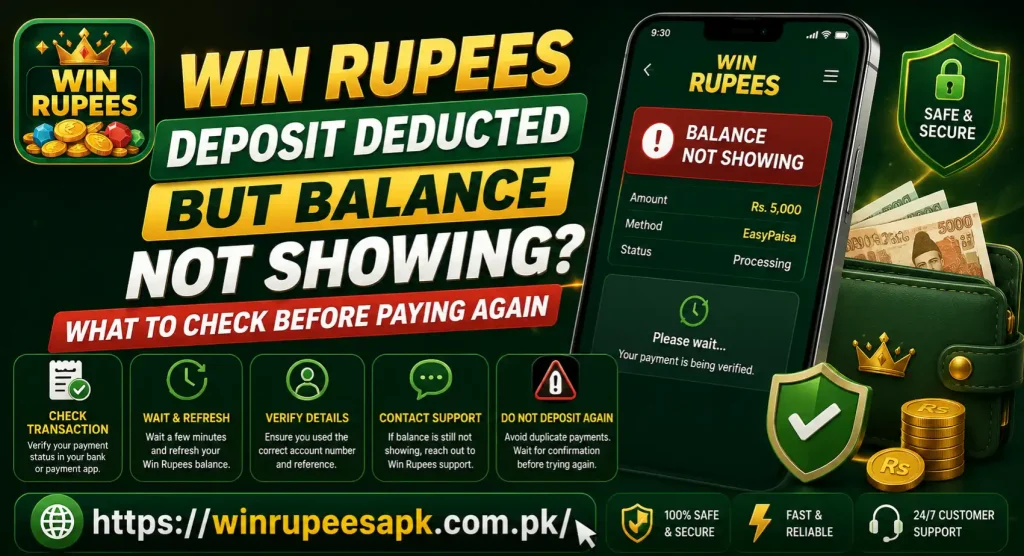
Before paying again:
- Save the receipt, transaction ID, amount and time.
- Check whether the wallet says successful, pending, failed or reversed.
- Confirm the recipient and open the correct Win Rupees account.
- Check deposit history for a pending, rejected or unmatched record.
- Confirm whether a payment reference had to be entered or uploaded.
- Check cash balance separately from bonuses and follow the displayed processing period.
- Contact platform support if no credit appears, or the wallet provider if delivery cannot be verified.
A second payment will create another transaction. It will not automatically repair the first one.
First Check the Wallet Transaction Status
The word deducted does not always mean the recipient received a final payment. Open the wallet transaction details and read the exact status.
| Wallet status | What it usually tells you |
| Successful or completed | The wallet processed the payment; save the reference |
| Pending or processing | The payment has not reached a final result |
| Failed | The transfer was not completed; check for a reversal |
| Reversed or refunded | The amount was returned to the sending wallet |
| Status unavailable | Refresh the wallet and contact its recognized support channel |
Do not treat an SMS debit alert as complete payment proof. Review the transaction inside the wallet app or statement. The detailed record is more useful because it should show the status, recipient, time and transaction reference.
Save the Payment Evidence
Before clearing app data or changing payment details, save the transaction ID, amount, timestamp, final wallet status, masked recipient and sender, Win Rupees account ID, deposit order ID, current balance, deposit history and any error message.
Keep the evidence private. Public groups can expose transaction details to people pretending to be support agents.
A short timeline can help: deposit page opened, wallet payment completed, game balance checked and support contacted. Use the timestamps shown in the records rather than estimating them from memory.
Confirm the Recipient Details
Compare the recipient shown on the wallet receipt with the payment instructions displayed in Win Rupees when you started the deposit. Check:
- Recipient mobile number or merchant ID
- Recipient or merchant name
- Payment amount
- Selected channel
- Deposit order number
- Any required payment reference
- Expiry time of the payment instructions, if shown
Do not reuse an old recipient number from a previous deposit, screenshot or forwarded message. Payment channels can change. The details shown for the current order should take priority.
If the receipt shows an unknown or incorrect recipient, stop. Do not send another payment or contact the recipient yourself. Preserve the receipt and report the issue through the recognized account and wallet-support channels.
Make Sure You Opened the Correct Win Rupees Account
Sometimes the payment was made for one account while the user checks another. This can happen after changing phones, using a different number or creating a second profile.
Check the registered mobile number or user ID shown in the app. Compare it with the account used when you generated the deposit order.
If the balance and transaction history look unfamiliar, log out without changing payment details and confirm the original login information. Do not register again to recover a missing balance. Duplicate accounts can make payment tracing and verification more difficult.
The Win Rupees homepage includes general information about account access, deposits and supported local payment methods. Use the current in-account screen for transaction-specific details.
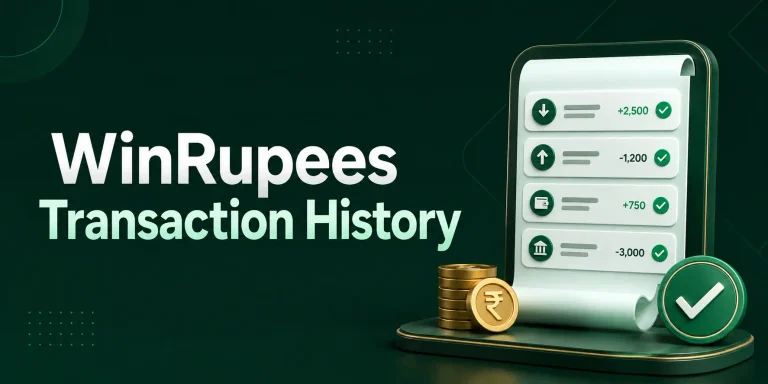
Check the Win Rupees Deposit History
Open the Wallet, Deposit or Transaction History section. Search around the wallet payment time for a record labelled:
- Pending
- Processing
- Successful
- Credited
- Failed
- Rejected
- Cancelled
- Reversed
- Unmatched
If the deposit appears as pending, do not create another order. Save the deposit ID and follow the current processing instructions.
If no record appears at all, the platform may not have matched the wallet payment to a deposit order. This is why the wallet transaction ID, recipient and timestamp matter when contacting support.
If the deposit says successful but the cash balance remains unchanged, take screenshots of both screens. It may be a display or account-sync issue rather than a missing payment.
Check Whether a Reference or Receipt Was Required
Some payment flows match the transaction automatically. Others may ask the user to enter a transaction ID, upload a receipt or return to the deposit page after completing the wallet payment.
Review the instructions attached to the deposit order. Check whether you missed:
- A transaction-ID field
- A payment-reference box
- A receipt-upload button
- A Confirm Payment option
- A countdown or order-expiry message
- A return-to-app step
Enter only a real reference from the completed wallet receipt. Never edit a screenshot or use another person’s transaction ID. Incorrect proof can cause the payment to remain unmatched or trigger an account review.
If the order expired after payment, save its ID and contact support. Do not create another order until the first payment has been traced.
Check Cash Balance, Bonus Balance and Rewards Separately
A deposit should be checked in the cash or deposit balance first. Bonuses and promotional rewards may appear elsewhere.
| Account section | What it may contain |
| Cash or main wallet | Credited deposit funds |
| Bonus balance | Promotional credit governed by offer terms |
| Rewards centre | Claimable tasks, rebates or event rewards |
| Withdrawable balance | Funds currently eligible for withdrawal |
| Pending transactions | Payments still waiting for a final result |
Do not assume the deposit is missing simply because an expected bonus did not appear. A successful deposit with a missing bonus is a separate promotion issue.
Likewise, promotional credit should not be treated as ordinary cash without checking its usage and withdrawal conditions.
Refresh the Account Safely
A stale app screen may continue showing the old balance. Try:
- Close and reopen Win Rupees.
- Use a stable mobile-data or trusted Wi-Fi connection.
- Return to the wallet and transaction-history screen.
- Log out and back in only if you know the correct account details.
- Restart the phone if the app remains stuck.
- Try the browser version, if available, before reinstalling anything.
Clearing the cache can help a display problem, but avoid clearing all app data until screenshots and login details are saved. Do not install a replacement APK sent through WhatsApp or Telegram.
A refresh can reveal a balance already stored on the account. It cannot create a payment that the platform never received.
Check for a Wallet Reversal
If the payment failed, the amount may return to JazzCash or Easypaisa. Review later wallet activity for a reversal or refund entry with the same amount.
The return may not always use the same wording as the original transaction. Compare:
- Amount
- Transaction reference
- Recipient
- Debit and credit times
- Final status
If the money returned, save the reversal record. Do not report it as a missing deposit unless another debit remains unresolved.
If the amount is missing from both the wallet and Win Rupees account, collect both histories and request a formal transaction trace.
Follow the Current Processing Period
There is no reliably verified universal time for every Win Rupees deposit. Timing may depend on the wallet status, payment channel, order matching, platform checks or system load.
Follow the period displayed on the current deposit order or provided through a recognized account-support channel. During that period:
- Keep the wallet receipt and deposit ID.
- Check the game history at reasonable intervals.
- Do not submit duplicate payments.
- Do not create several tickets for the same transaction.
- Do not change the registered number or payment details.
If the stated period passes without a balance update or reversal, send one complete support request.
Contact Win Rupees Support With Complete Details
Use the support or live-chat option displayed inside the account, if available, or another platform channel you have independently verified. Do not trust a phone number merely because it appears in a comment, private group or video description.
Include your partly masked registered number, deposit order ID, wallet transaction ID, method, amount, timestamp, masked recipient, final wallet-status screenshot, game deposit record and confirmation that no reversal appears.
You can send this message:
My wallet payment was deducted, but the deposit is not showing in my Win Rupees cash balance. Deposit order ID: [ID]. Wallet transaction ID: [ID]. Method: [JazzCash/Easypaisa]. Amount: [PKR amount]. Payment time: [date and time]. Please verify the recipient, payment status and account credit. No reversal appears in my wallet history.
Do not include your wallet PIN, OTP, app password, card CVV or recovery code. A legitimate transaction investigation should use the order and payment references.
Contact JazzCash or Easypaisa When Needed
Contact the wallet provider when the payment remains deducted, the platform cannot verify receipt or the transaction status is unclear.
- For JazzCash, use its official contact page.
- For Easypaisa, use its official contact page.
Provide only the registered wallet number, transaction ID, amount, recipient and timestamp. Ask whether the payment was completed, failed, reversed or sent to the recipient shown on the receipt.
Keep the complaint or service-request number. If the wallet confirms successful delivery, share that confirmation with platform support. If it confirms a reversal, check the wallet balance and statement again.
Who Should You Contact First?
| What you can see | Best first action |
| Wallet says pending | Wait for its final status and avoid paying again |
| Wallet says failed or reversed | Check for the returned amount |
| Wallet says successful and Win Rupees shows pending | Contact platform support with both IDs |
| Wallet says successful but no game deposit record exists | Ask platform support to match the payment |
| Win Rupees says credited but cash balance is unchanged | Save both screens and report a balance-sync issue |
| Platform cannot verify the payment | Ask the wallet provider to trace the transaction |
| Recipient on the receipt is wrong | Contact the wallet provider and platform immediately |
| Someone asks for a PIN, OTP or additional payment | Stop communicating and do not pay |
What Not to Do
- Do not make another deposit to activate the first one.
- Do not pay a private agent’s release or verification fee.
- Do not share an OTP, wallet PIN, password or recovery code.
- Do not create a duplicate account.
- Do not submit edited or borrowed payment proof.
- Do not use an old recipient number from a screenshot.
- Do not allow remote access to your phone.
- Do not post full receipts in public groups.
- Do not continue playing to recover a payment that was never credited.
Repeated payments increase financial risk and make the transaction history harder to trace.
Watch for Deposit Scams
Be cautious if someone:
- Promises to add balance after an extra payment
- Requests a transfer to a personal wallet
- Asks for your OTP or transaction PIN
- Sends a modified APK to fix the wallet
- Claims to be an agent but cannot provide a recognized support channel
- Tells you to delete the original receipt
- Pressures you to pay immediately before an offer expires
If an unauthorized transaction occurred or credentials were exposed, contact the wallet provider immediately. Suspected unlawful or fraudulent activity can also be reported through Pakistan’s FIA Public Services Portal.
How to Reduce Deposit Problems Next Time
After the current payment receives a clear outcome:
- Generate a new deposit order inside the correct account.
- Use only the recipient shown for that order.
- Check the amount and method before confirming.
- Complete the payment within any displayed order period.
- Save the wallet receipt and transaction ID.
- Enter or upload the reference if required.
- Wait for a final deposit status before sending another payment.
- Keep cash balance and bonus balance separate.
- Stay within a budget you can afford to lose.
These steps do not guarantee instant credit, but they create a clear record that both support teams can trace.
Frequently Asked Questions
Win Rupees Deposit Deducted but Balance Not Showing Final Thoughts
When a Win Rupees deposit is deducted but the balance is not showing, stop before paying again. Save the receipt, read the wallet’s final status, verify the recipient and compare the transaction with the correct game account and deposit history. Contact Win Rupees support with the deposit and wallet IDs when the payment says successful but no credit appears. Contact JazzCash or Easypaisa when the wallet status or delivery needs tracing. Never share an OTP, transaction PIN or password, and never send extra money to a private agent to unlock the balance.